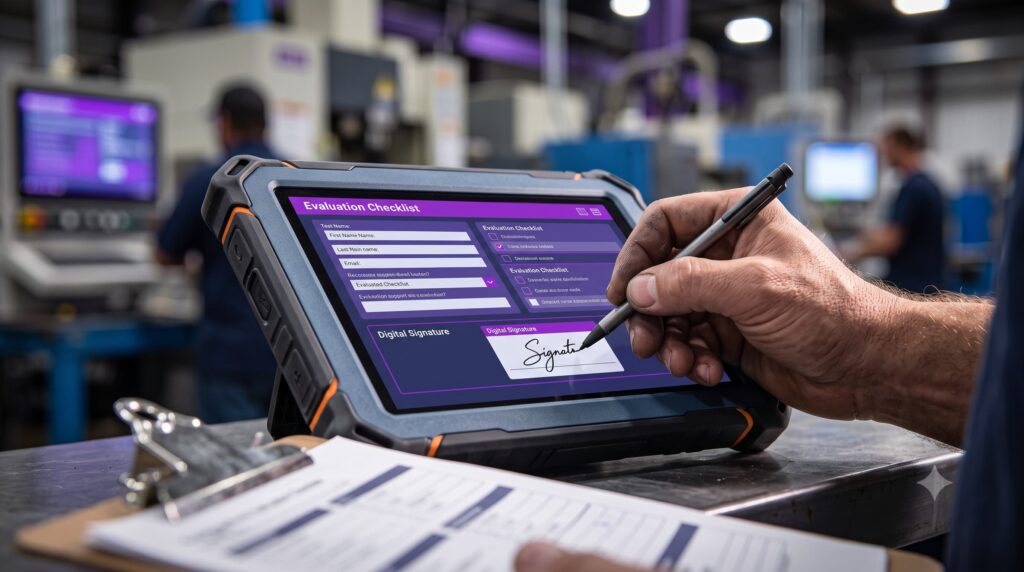

On the production lines we equip at Mercateam, we see the same pattern time and again: an LMS chosen by HR, approved by IT, rolled out to everyone—and yet no one on the shop floor ever uses it. Platforms designed for white-collar workers sitting in front of a screen simply don’t hold up in the real world. An industrial LMS meets specifications that have virtually nothing in common with those of general-purpose platforms: on-the-job assessment, MES integration, and auditable versioning. This article defines the boundaries and provides the technical criteria for evaluating a software vendor prior to an ISO 9001 or NADCAP audit.
What is known as an industrial LMS
An LMS (Learning Management System) is used to deliver, track, and maintain a record of an organization’s training programs. Most platforms on the market (360Learning, Cornerstone, Moodle, Talentsoft, Docebo) were designed for white-collar roles: sales, support staff, and managers. The content consists of SCORM or xAPI modules that are accessed on a screen, at the learner’s own pace, with a quiz at the end.
An industrial LMS is built on the same foundation (course catalog, learning paths, progress tracking, certifications) but is designed for a radically different user base. Production operators, line supervisors, warehouse workers, and maintenance technicians work at physical workstations, without work email, on rotating shift schedules, in environments where personal computer screens do not exist. From a management perspective, the focus is not on employee training engagement: it centers on machine certifications, mandatory renewals, audit evidence, and team versatility.
This distinction has become necessary due to regulatory pressure (ISO 9001, FSSC 22000, IFS, BRC, NADCAP, GxP in the pharmaceutical industry, FDA) and the need to prove to the auditor—sometimes on-site and without prior notice—that a specific operator was indeed trained and evaluated for a particular position on a specific date. Traditional LMSs can store the audit trail, but they cannot generate it under actual production conditions.
Why a Traditional LMS Fails in Production
The gap becomes apparent as early as the first week of rollout: activity metrics plateauing on the shop floor, training managers having to follow up, and supervisors complaining about wasted time. Four structural causes—always the same ones—are at the root of this gap.
Operators do not have work email addresses or landline phones
A traditional LMS operates with one account per user, linked to an email address, and accessible via a web browser. In the manufacturing sector, 60 to 80 % of a site’s workforce does not have a personal email account. LMS platforms that rely on Active Directory or Microsoft 365 automatically exclude this group. Workarounds (shared accounts, computers in the break room, logging in on personal phones) compromise traceability and lead to users rejecting the tool after just a few weeks.
A theoretical assessment alone does not validate a professional skill
A SCORM quiz checks a box without providing any insight into an operator’s ability to mount a part on a lathe, perform a clean-in-place procedure on a tank, or follow an HACCP procedure. Industry studies attribute 20 to 30 % of human-caused industrial errors to insufficient training or documentation, out of a total of 30 to 40 % of errors attributable to human factors. Quality standards therefore require a practical on-the-job evaluation, conducted by a designated evaluator using an observation checklist, in line with a AFEST. No general-purpose LMS natively supports this workflow, and vendors refer users to Excel or an external module, which breaks traceability precisely when it matters most.
No connection to industrial systems
The MES (Manufacturing Execution System) maintains a real-time map of operators by machine and by production order, while the CMMS manages the database of authorizations required for each task and the HRIS manages shift start and end times. Without an interface between these three systems and the LMS, training assignments must still be handled manually: when a schedule for new operators arrives, the training manager creates accounts, assigns modules one by one, and follows up to ensure they are signed off. This lack of synchronization accounts for the majority of delays in skill development in the manufacturing sector.
No auditable versioning for certification bodies
A NADCAP, FSSC, or IFS auditor requests the version of the standard operating procedure in effect on the day the operator was trained, along with the electronic signature confirming that the operator has reviewed that specific version. Traditional LMSs overwrite content with each update, leaving no usable version history. There is no version control, no time-stamped signature per version, and no link between the content version and the operator’s file. During an audit, this issue can result in a major nonconformity.
The 7 Technical Criteria for a Field-Based LMS
An industrial LMS can be recognized by its core functionality, which is almost never found in general-purpose solutions. Before signing a contract with a vendor, these seven points must be demonstrated in a live demo—not merely promised in a roadmap.
- Authentication works without a personal email address—via badge, site code, or QR code—and accounts can be created in bulk from an HRIS or temporary staffing file.
- The on-the-job practical evaluation is conducted using the tool, which includes a customizable observation checklist and requires the evaluator’s and operator’s signatures on a tablet.
- Training content is versioned, and each access is time-stamped and linked to the active version to provide a traceable audit trail.
- The LMS integrates natively with the MES, HRIS (SAP, Workday, ADP), and ERP systems using a standard connector (REST, Webhook), rather than a manual CSV export.
- Field access is available via tablet, smartphone, or terminal, in offline mode when the industrial network is unstable.
- Expired authorizations are flagged as an actionable alert for the supervisor, ideally accompanied by a technical block on access to the machine if the authorization is no longer valid.
- The skills matrix is updated automatically upon validation of a training course or practical assessment, without the need for re-entry or a separate Excel export.
Of the more than 300 sites we equip at Mercateam, the absence of even one of these elements causes a deployment to stall after a few months.
Comparison of Traditional LMS vs. Industrial LMS
There are seven key differences between traditional LMSs and enterprise LMSs, and no general-purpose vendor covers all seven at once.
Comparator
Traditional LMS or Industrial LMS?
Target Population
White-collar workers, support staff, salespeople
How to Access
Work email, web browser, personal account
Evaluation
SCORM or xAPI Theory Quiz
Industrial Systems Integration
Absent or Exotic
Audit and Compliance
Case filed, no evidence submitted
Content Versioning
Overwrite on Update
Control
Completion Rate, Engagement
Target Population
Operators, line operators, maintenance technicians, temporary workers
How to Access
Badge, QR code, field tablet, offline mode
Evaluation
Quiz + on-the-job assessment with a checklist and dual signatures
Industrial Systems Integration
Standard integrations with MES, CMMS, HRIS, and ERP systems
Audit and Compliance
Automatic generation of proof, with an active version linked to each view
Content Versioning
Versioned history, timestamped signature for each version
Control
Certification rates, versatility, expiration dates, instructor workload
How This Changes Things in a Factory
Four use cases from the sites we serve illustrate the day-to-day benefits of switching to a platform designed for the field. First scenario: Pre-onboarding for a temporary worker in the agri-food industry shouldn’t start at 8 a.m. on Monday morning with an hour-long HSE orientation session in a conference room. At sites where we’ve rolled out a QR code-based pre-onboarding process, the temporary worker receives the link the day before via Manpower or Randstad, reviews the QHSE and logistics modules on their personal phone—without needing a Microsoft account—and arrives ready to work for their first productive hours. The supervisor collects the signatures before the worker starts their shift.
Onboarding for the position of food-processing operator took an average of six weeks at several sites we supported, which was the time needed to complete the theoretical training, observation, mentoring, and assessment. Using a workflow that combines tablet-based theoretical assessments with on-the-job practical assessments using checklists, several clients have reduced the time needed to achieve autonomy in the role to ten days.
This initial autonomy does not eliminate the need, in certain positions, for additional on-the-job training to handle production fluctuations and maintain the expected levels of quality and productivity—a learning curve that can span several months and that the LMS cannot replace.
The skills matrix updates automatically upon validation, and the assignment triggers the removal of the operator from the schedule at the end of their shift. This on-the-job training approach aligns with that of the TWI method, which has shaped the transmission of professional skills in industry since the 1940s.
An FSSC or NADCAP audit that hasn’t been prepared for is no longer an event that requires two weeks of preparation. The auditor requests version 4.2 of the mixing procedure in effect in March, along with a list of operators who have signed that version. The industrial LMS generates the report with just a few clicks—version by version, signature by signature—without involving the training department.
The renewal of expired authorizations is finally being handled outside of an Excel file shared by five people. The expiration date is set 30 or 60 days before the actual due date; the operator is requalified for the workstation, and until the requalification is signed, access to the machine remains blocked on the MES side. A authorization management At this level, it eliminates the gray area where most audit discrepancies occur.
Simulator
How much time can an industrial LMS save you?
Based on the reduction from 6 weeks to 10 days observed at several Mercateam sites to achieve initial autonomy in a position. This improvement relates to the validation phase, not to full mastery of the position, which remains a gradual process.
Time saved on self-sufficiency training, per year
80 weeks
That amounts to approximately 18 months of time saved over the course of the year in terms of time to autonomy, at a rate of 4 weeks saved per operator.
Selecting and Implementing an Industrial LMS
The functional scope of an industrial LMS cannot be assessed from a brochure alone. Three questions, asked during a demo, quickly help you decide which vendor to choose.
At which industrial sites is the platform already in use, and which certifications from the vendor (ISO 27001, SOC 2 Type 2, European hosting, GDPR compliance) are in place? Compliance is not just a business detail when your auditors are going to review your software vendors.
Can we see a practical field assessment in action, complete with a checklist, operator signature, assessor signature, a locked version, and an audit-ready audit trail? If the vendor demonstrates the process by sharing a PDF or using an exported Excel file, the field assessment workflow is not native to the system and will rarely be so within the next twelve months.
Is the HRIS or MES connector included as standard or billed on a project basis? A project-based connector is never a true connector; it’s a custom development that will require updates with every SAP, Oracle, or Workday release.
When it comes to deployment, an enterprise LMS is rolled out site by site, never all at once.
The typical process we see in action: a pilot site, an internal audit cycle to validate the robustness of the evidence, and then expansion to other sites.
The role of the supervisor or field mentor is crucial because they validate the practical evaluations and are responsible for ensuring that operators adopt them. S
Visit training follow-up Day-to-day management then relies on a few key metrics that are meaningful to the supervisor: qualification rates by position, 60-day expirations, and evaluator workload.
Demo Grid
3 Questions to Ask an LMS Provider
Why It Matters
Compliance (ISO 27001, SOC 2 Type 2, European hosting, GDPR) is not just a business detail: your auditors will also review your software service providers.
Why It Matters
If the publisher provides a demo by sharing a PDF or an exported Excel file, the field evaluation workflow is not native and will rarely be so for at least twelve months.
Why It Matters
A project connector is never just a connector: it’s a development that will change with every update to SAP, Oracle, or Workday.
Training is becoming a source of operational truth
The focus is no longer on digitizing training; it’s on connecting it to the rest of the plant. An industrial LMS is no longer a peripheral HR tool: it’s a single source of truth that communicates with the MES, generates audit evidence, keeps the matrix up to date, and tells the supervisor, in real time, which operator can fill which position. For training managers and CIOs driving this decision, the right approach is to look at what the vendor actually delivers when the system is deployed on the shop floor—not what’s promised in the brochure. That’s exactly the difference between a traditional LMS repackaged with an industrial veneer and a platform designed for production.